Case studies · Own product
StorelightFrom app screens to a ready release.
My second product of my own: a web service that turns raw app screens into finished promo screenshots and copy for the App Store and Google Play. It is now at the final stage of development.
Final stage of development
- Role
- Idea, design, development
- Platforms
- Web app
- Year
- 2026
- Status
- Final stage of development
The problem
To publish an app you need promo screenshots: frames with headlines, phone frames and backgrounds, in the App Store's and Google Play's exact sizes, and in every language. It is usually done by hand in Figma: slow, and with every update it starts over.
I went through this myself with Budgetra and built a tool that takes the work on. The screenshots in my Budgetra case study were made in it.
The editor
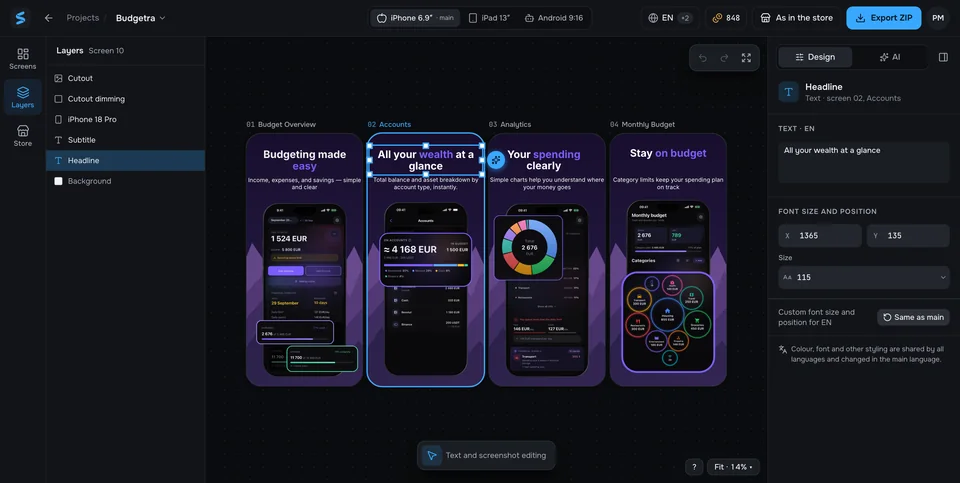
The hardest part of Storelight is the editor. It is “Figma for app store screenshots”: everything promo frames need and nothing more, so you never have to open Figma or Canva for a set of screenshots.
Canvas and layers
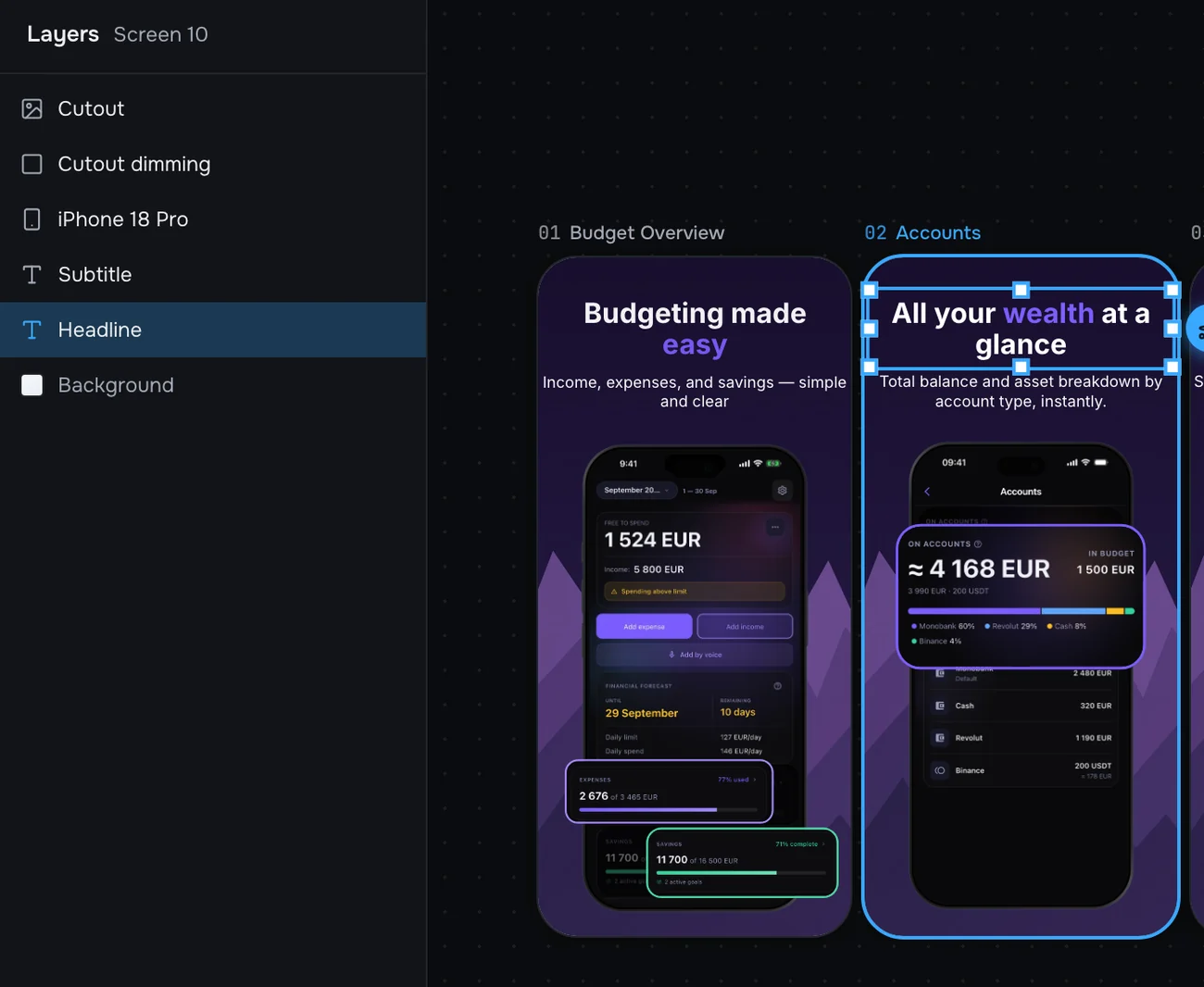
Each screenshot is its own artboard, and everything on it is a layer: the background, the screenshot in a phone frame, headlines, elements. You select and move them right on the canvas, snapping to edges and centres, with the selected layer's properties on the right.
Every action can be undone, and the project saves itself. For text you see at once whether it fits its place, in every language.
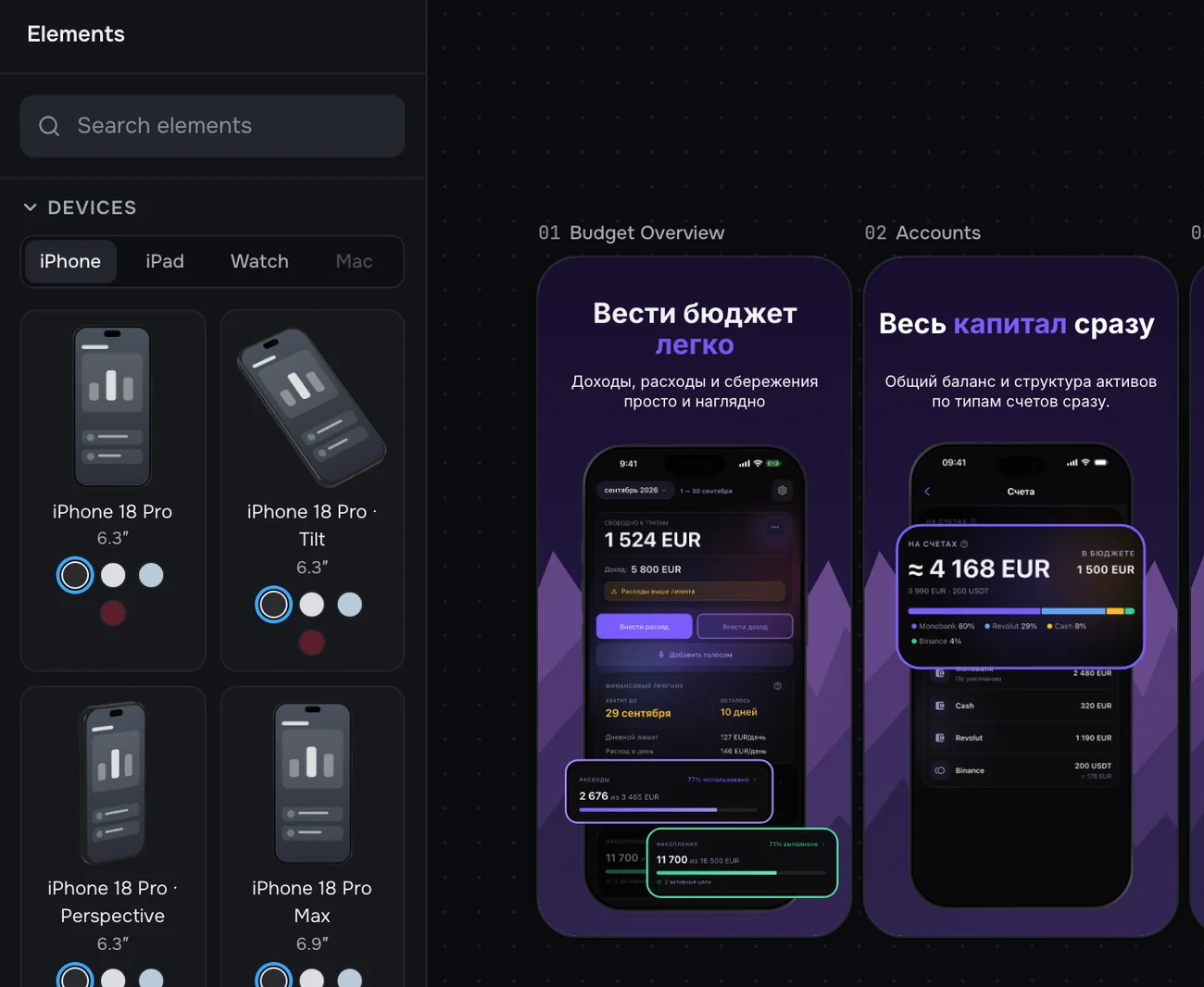
The elements library
iPhone, iPad, Android and Apple Watch frames, angled ones too, plus arrows, badges, callouts and spotlights. The frames are drawn in-house, with no licensing risk.
The screenshot fits into the frame by itself, even one turned in perspective. The distortion is computed in a separate thread, so the canvas stays smooth.
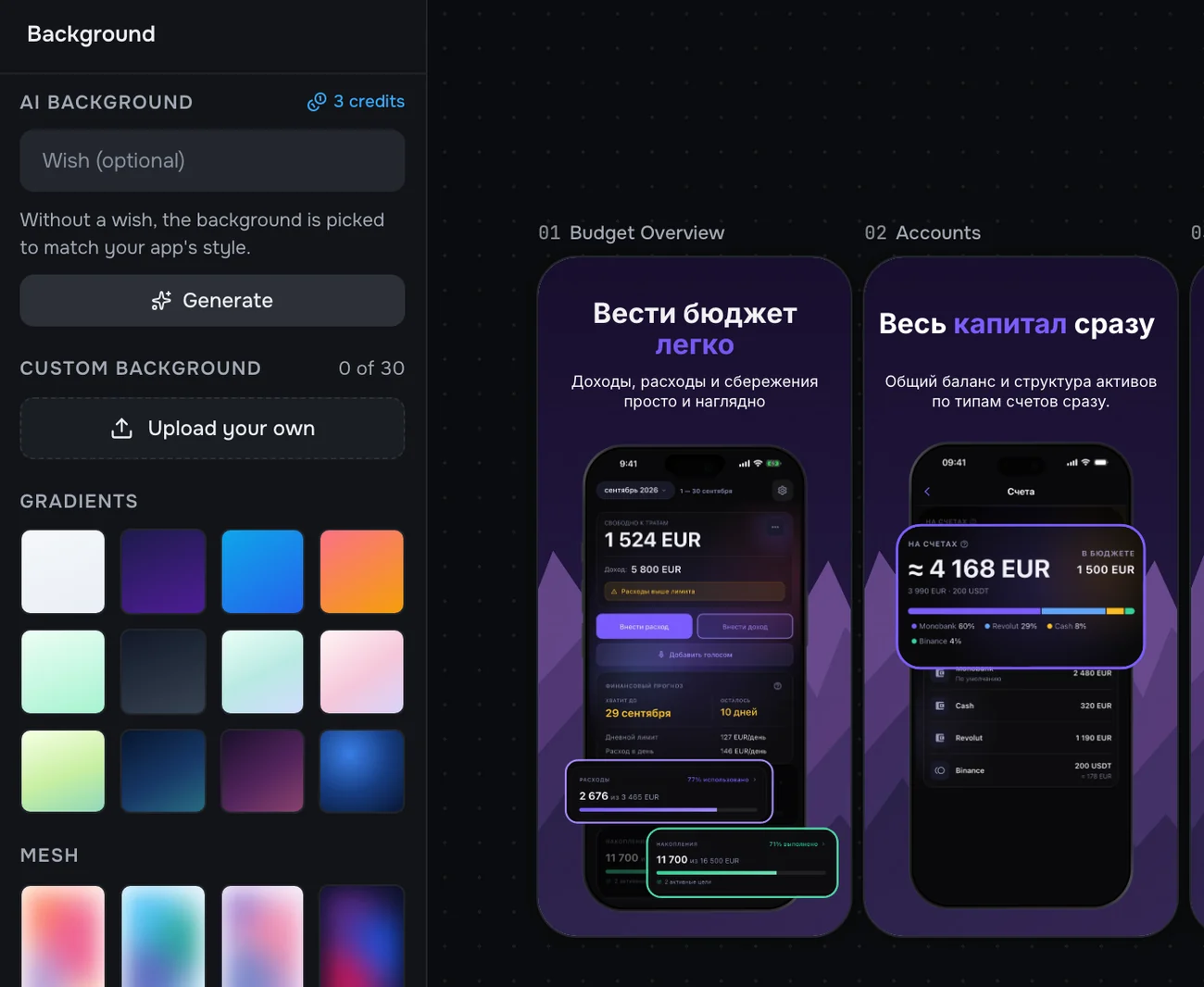
Backgrounds
Gradients, mesh gradients and your own images. The service picks the brand colours from the app's screenshots, and on Pro the AI draws a background in its style, with two options to choose from.
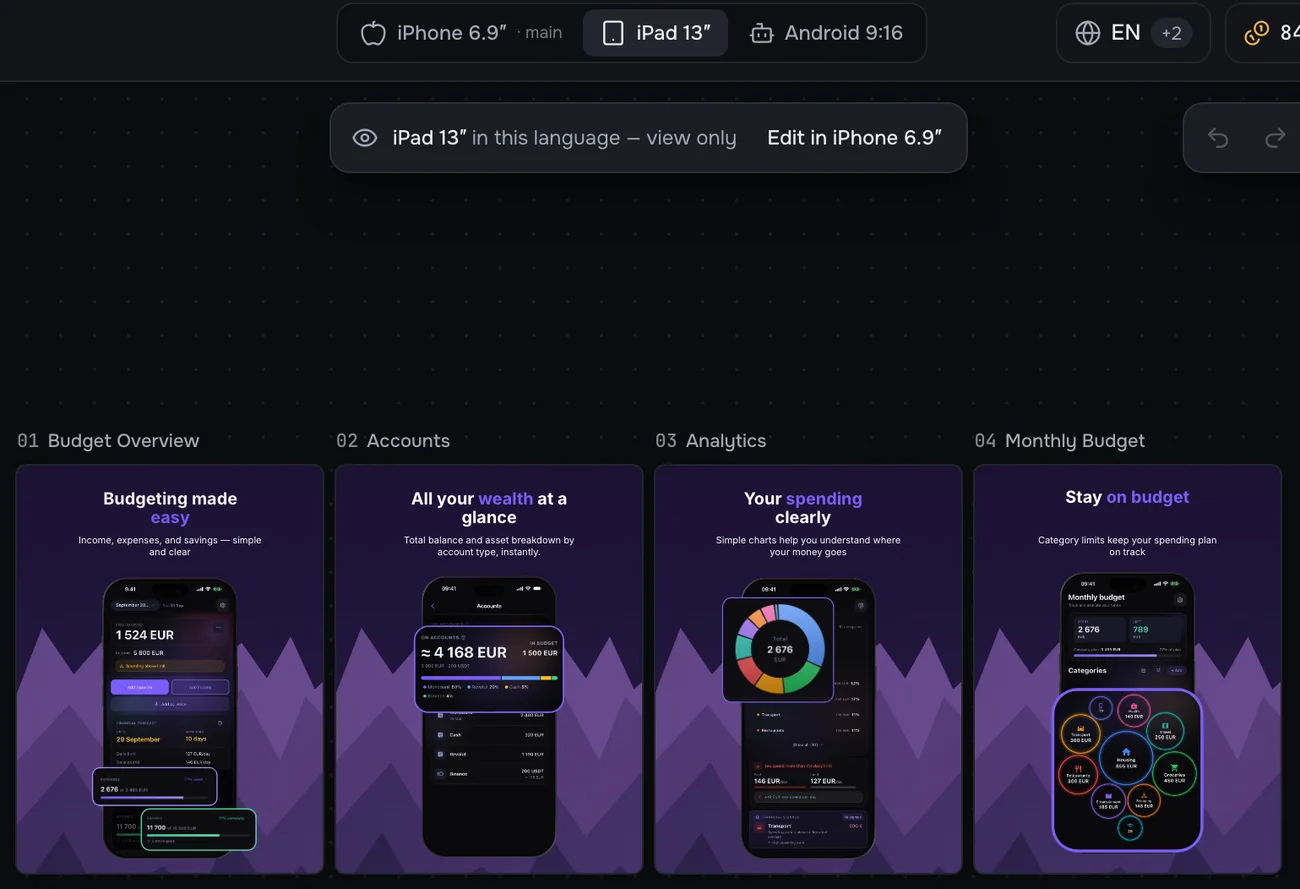
Formats
Frames are built once in the main iPhone 6.9″ format, and iPad 13″ and Android 9:16 are made from it in the stores' exact sizes. An edit in the main format shows up in all of them at once.
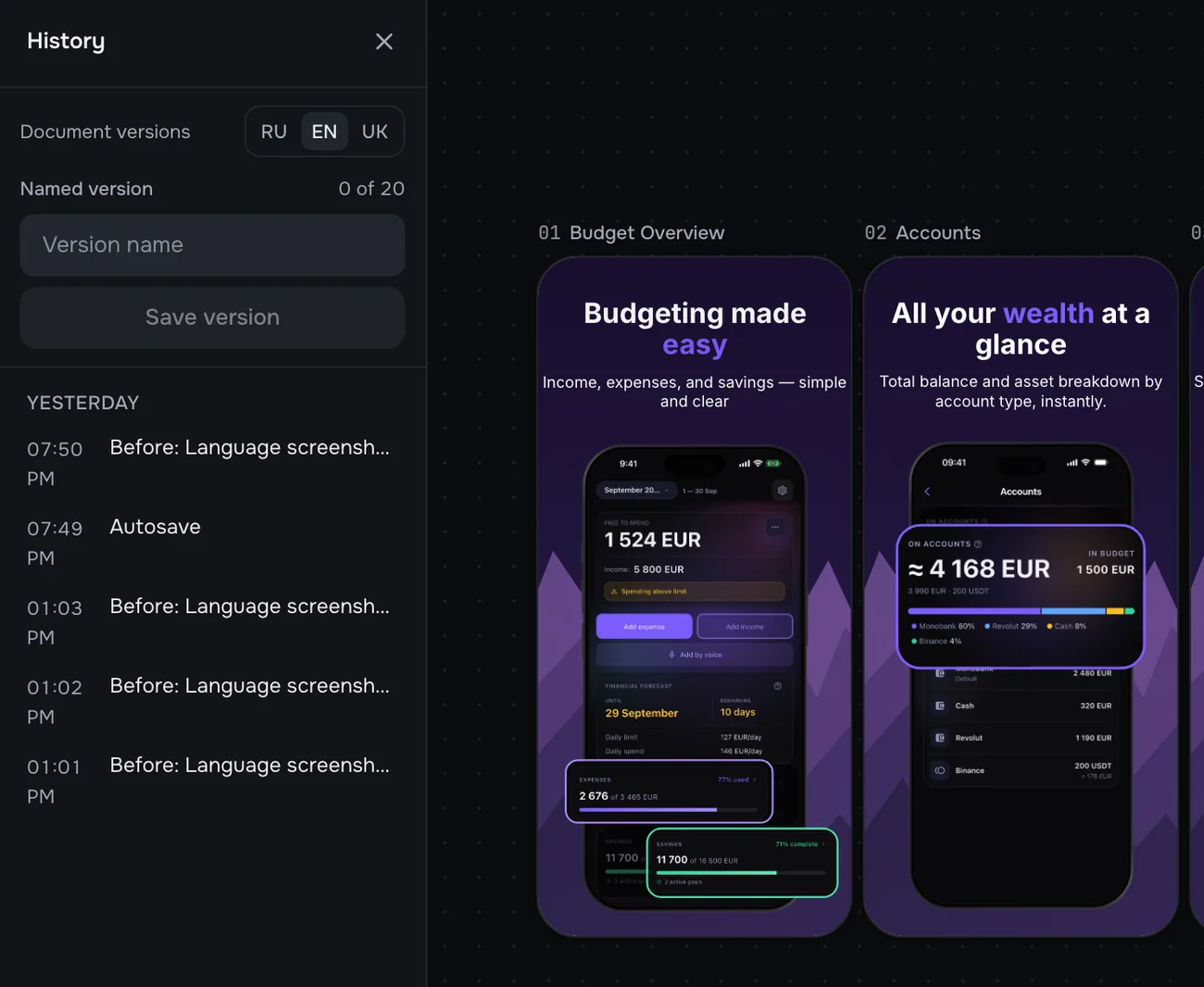
Version history
Every autosave, AI action or deleted screen is a point you can go back to. Important states can be named and kept as versions, separately for each language.
The AI assistant
- Upload your screens as they are: the service recognises what is on each one and names them.
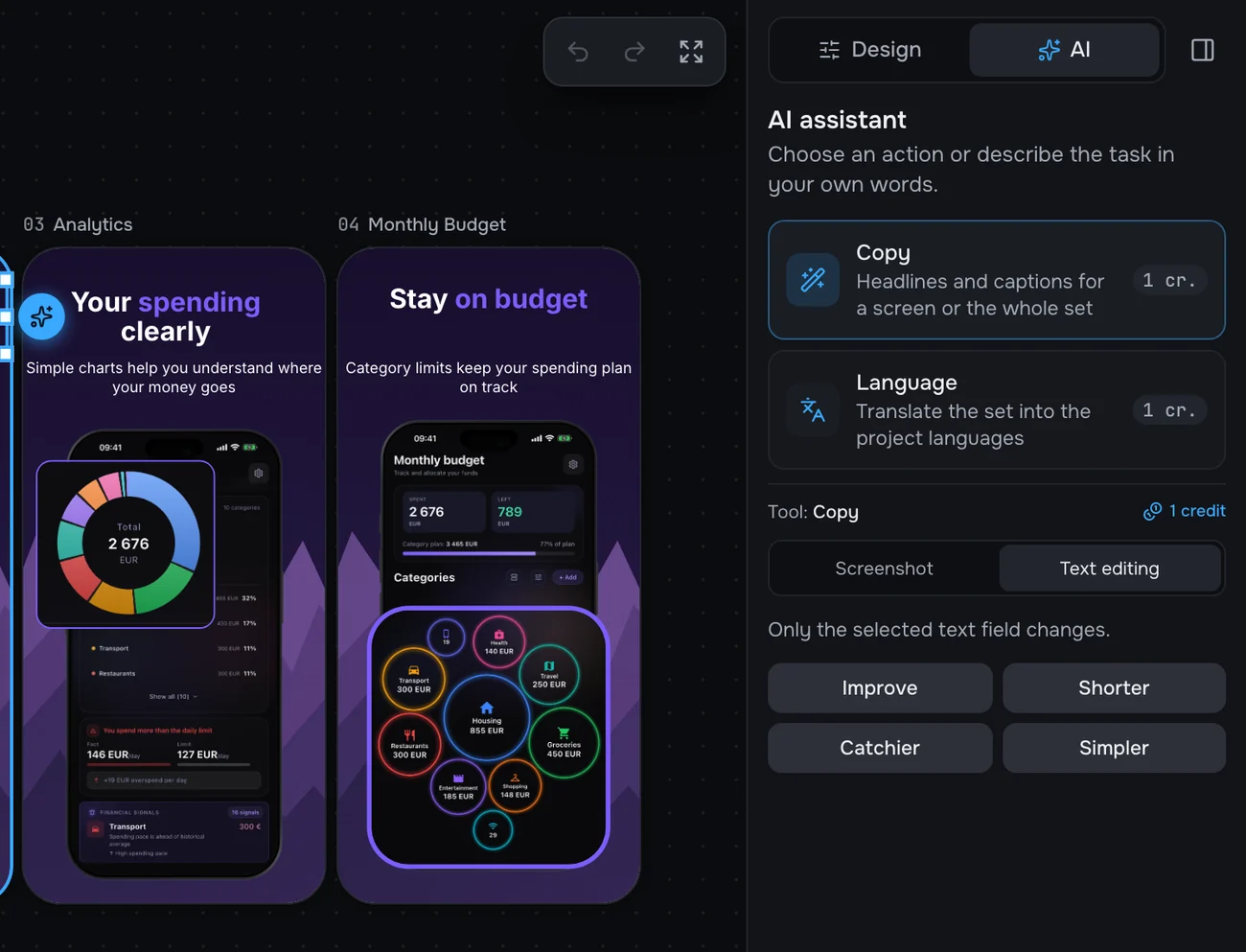
AI suggests, you decide
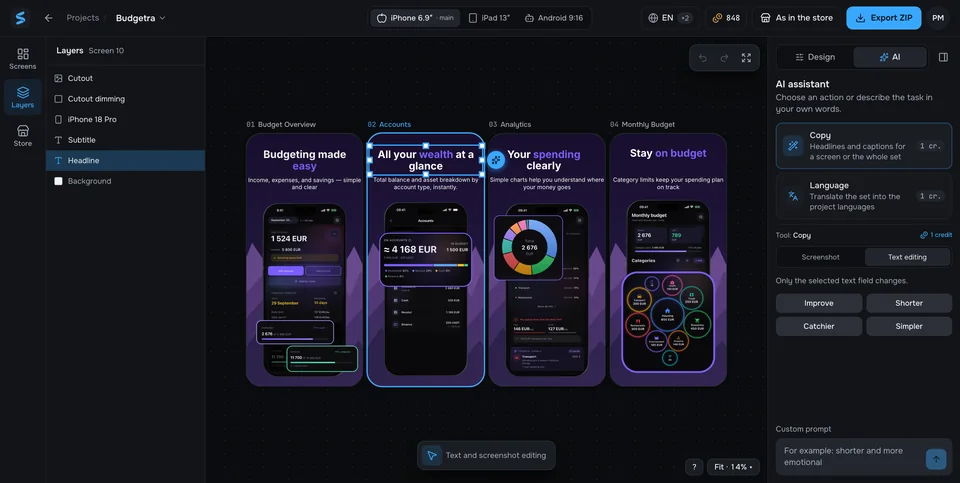
The AI writes headlines, picks styling and decor, builds a finished frame from a bare screenshot, sets the emphasis in the copy and reviews the whole set through a buyer's eyes: weak frames, repeats, whether the benefit is clear in 3 seconds.
Any result can be undone, or you can ask for another option. An AI action costs a credit; the editor, manual translations and export cost none.
Languages, checks and publishing
- Translation that isn't word for word: copy is adapted to each language, and each language is its own version of the frames.
- Store rules: the name, subtitle, description and keywords are checked against the App Store's and Google Play's limits.
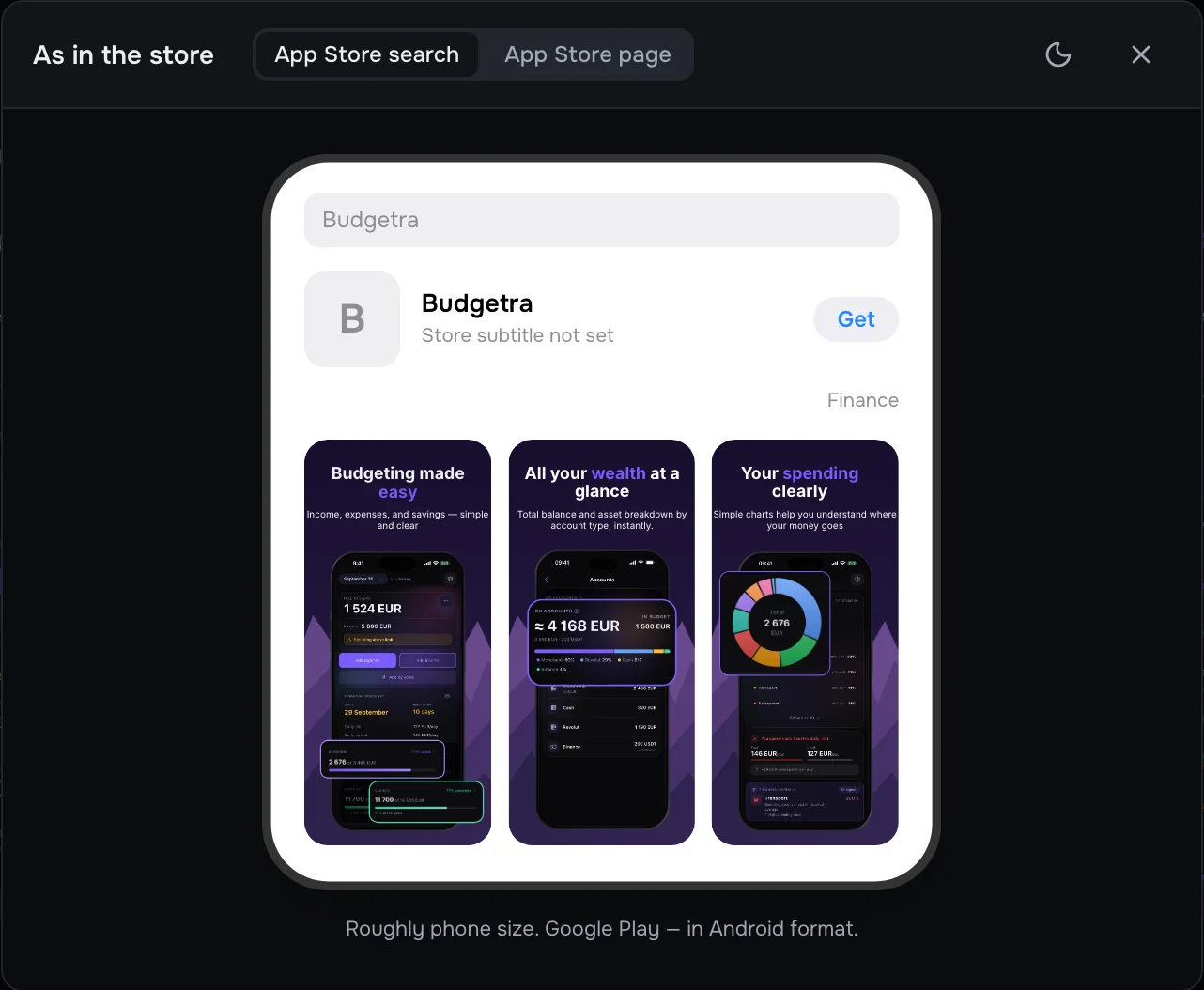
As in the store
Before publishing you can see the set the way it will look in App Store search and on the app's page, and for Google Play in the Android format.
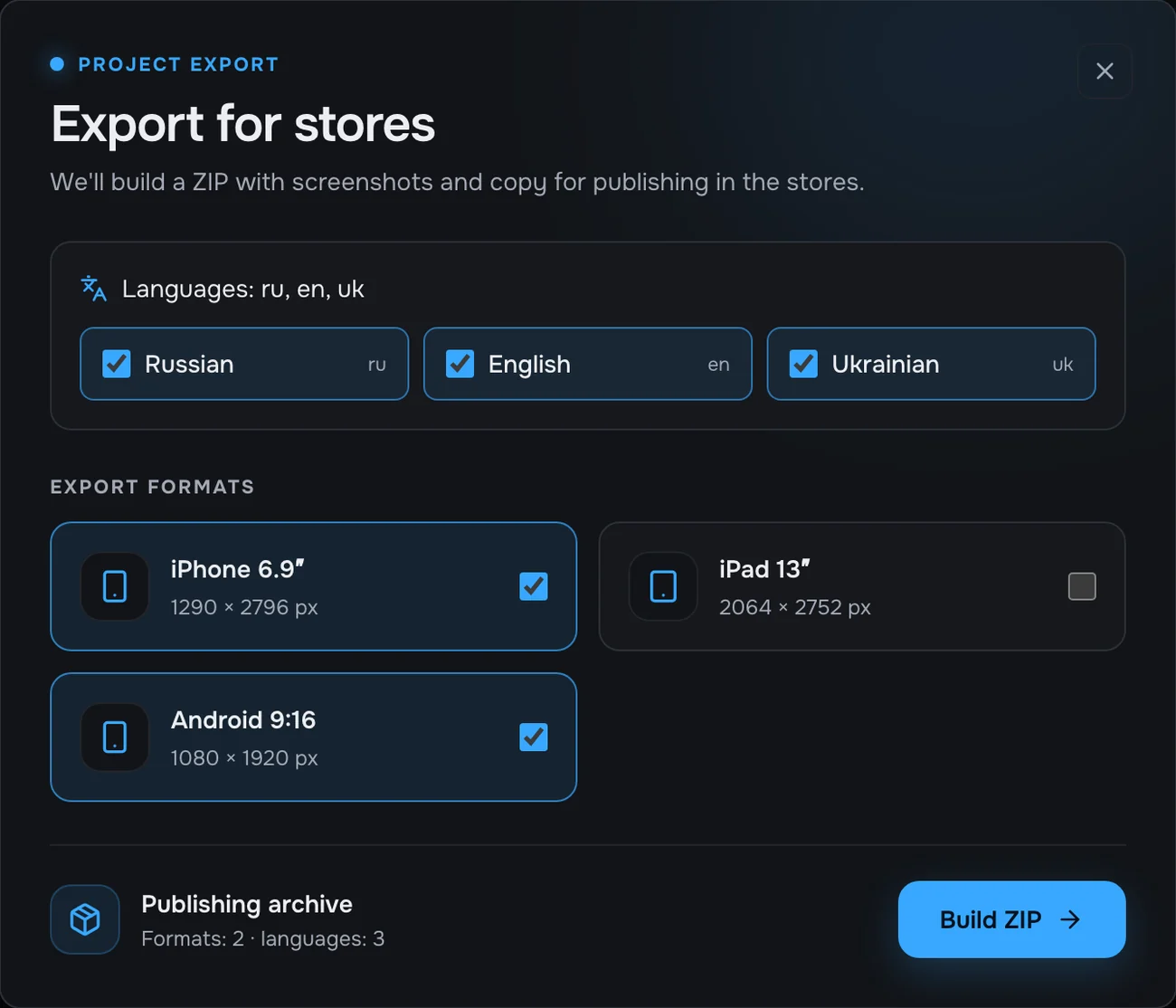
Export for the stores
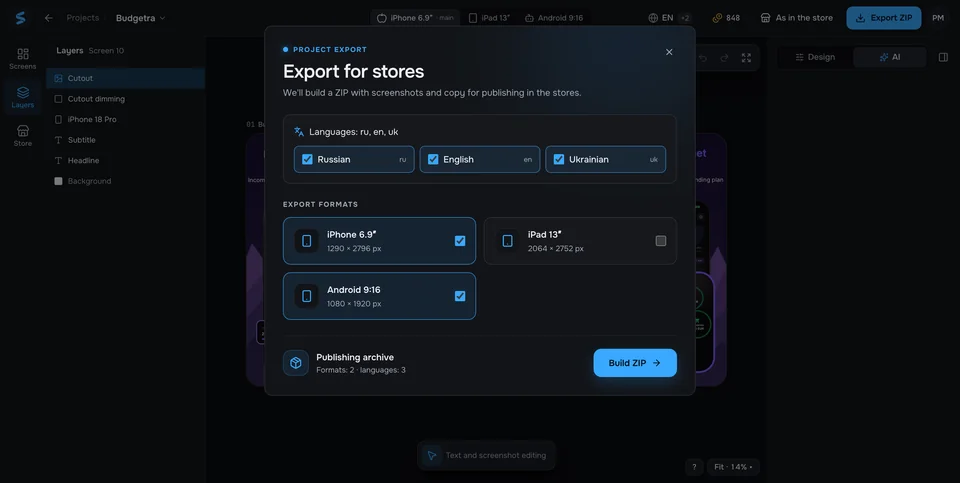
A ZIP with folders by language and format and a file with the store copy. On Pro, the screenshots and copy upload straight to App Store Connect and Google Play.
What I did
The whole product: the idea, the design of the interface and the landing page, the frontend, the backend and payments. The interface is in Ukrainian, English and Russian.
How it works
- Next.js and React on the frontend, tRPC between client and server, PostgreSQL through Prisma.
- One render engine: what is on the canvas is what ends up in the PNG. Frames are drawn on the server (satori and resvg), so the export matches the editor to the pixel.
- Background jobs (rendering, AI, export) run in a BullMQ queue with a separate worker; files live in Cloudflare R2 storage.
- The AI layer isn't tied to one provider: prompts are versioned and every answer is checked against a schema.
- Sign-in by email link (Auth.js), subscriptions through Paddle, errors and analytics in Sentry and PostHog.
From canvas to finished PNG
- In the browser the Next.js and React editor communicates with the server through tRPC.
- On the server PostgreSQL through Prisma, a BullMQ queue and rendering with satori and resvg.
- In storage finished files live in Cloudflare R2. Export uses the same rendering engine as the editor.
Stack
- Next.js
- React
- TypeScript
- tRPC
- PostgreSQL
- Prisma
Quality
- about 550 test files: unit tests, tests against a real database and end-to-end Playwright flows;
- dedicated accessibility checks (axe), plus type checking and linting on every change in CI.
Status
Storelight is at the final stage of development: the main features are done and working, and I'm finishing the details before launch. The project shows that I can build not just a website but a complex web service with AI, an editor and payments.
Inside the service
Need a similar web service?
Fill in a short brief: what you need, references, budget and deadline.
I will reply with an estimate.
Read also
Services
Full-stack development
Interface, server and database in one pair of hands. From design to launch.
Services
Web apps and user accounts
User accounts, admin panels, services: Vue, Nuxt, React.
Own product
Budgetra
A budget with a forecast to the end of the month. Say what you spent, or on iPhone add a receipt from a photo.